Set up · step by step
This page walks through the set-up: get the repository, check what the computer needs, install, obtain access at Apple and Google, enter the apps in the configuration, set up the daily run on a server and use the menu at the workplace. All settings are easiest in the setup in the browser. Two extensions are optional and have their own pages: the AI analysis and the notification after the daily run. All pages and documents are listed at the end.
1 · GitHub
The tool lives as source code on GitHub. You get the folder onto your computer, that is all. Updates come with git pull.
The usual way. Git is part of the Command Line Tools on the Mac, a package on Linux, “Git for Windows” on Windows (which brings Git Bash along).
git clone https://github.com/drapatzc/app-ratings-reviews-online.git
cd app-ratings-reviews-online
On GitHub “Code → Download ZIP”, unpack, put the folder in a fixed place. Updates then again via ZIP; data and configuration live in their own folders and survive that.
# kept across updates:
config/config.json data/ reports/ keys/The public repository contains code and documentation only. Your configuration, keys, data and reports are created locally and excluded via .gitignore. If you want to run the daily job in GitHub Actions you need your own private repository for it, because data/ contains review texts.
# .gitignore (excerpt)
config/config.json
*.p8   keys/   data/   reports/   backups/
2 · Requirements
No server, no database, no Node, no Docker. The single dependency (cryptography, for the signature at Apple and Google)1 is installed by the script itself into a local Python environment.
1 The dependency is the Python package cryptography, a widely used open-source library for encryption and signatures. The script needs it only to sign the login at Apple and Google (Apple: p8 key, ES256; Google: service-account key, RSA); Python cannot do that without an extra package. Everything else comes from the Python standard library. It is installed once into a local environment, runs locally only and never phones home.
macOS, Linux (Debian/Ubuntu, RHEL) or Windows. For permanent operation Linux with systemd is the quietest choice; a Mac mini or a Windows machine work too.
python3 --version. On the Mac, macOS installs Python with the Command Line Tools on first call; on Linux add python3-venv and pip; on Windows the regular installation from python.org.
The scripts ./ratings.sh, ./menu.sh and ./shortmenu.sh need Bash. On Windows Git Bash or WSL; without Bash the Python programs run directly: python menu.py, python collect.py.
To api.appstoreconnect.apple.com, itunes.apple.com and Apple’s download hosts for analytics reports; with Android also androidpublisher.googleapis.com, oauth2.googleapis.com, playdeveloperreporting.googleapis.com. Set a proxy if needed.
data/ grows slowly (JSON). Plan a backup of data/, config/ and keys/; ./ratings.sh backup packs the data.
systemd timer or cron (Linux), launchd (Mac), Task Scheduler (Windows) or GitHub Actions. The daily run matters: Google delivers reviews only seven days back.
One Apple API key per developer account; for Android apps one Google service account per Play Console. How to get them is in the section Apple and Google.
nginx with password or IIS if the report should be reachable by address in the company network. Otherwise the HTML file or the Markdown summary is distributed.
3 · Install
On first start the scripts create the Python environment .venv and install the one dependency. If you prefer to do it by hand:
Once. Afterwards never source again, because ./ratings.sh and ./menu.sh use the environment themselves.
python3 -m venv .venv
.venv/bin/pip install -r requirements.txt
Windows (PowerShell): py -3 -m venv .venv and .venv\Scripts\pip install -r requirements.txt.
Copy the example file and make it readable only for you. What goes in is in the sections Access and Configuration.
cp config/config.example.json config/config.json
chmod 600 config/config.json
mkdir -p keys && chmod 700 keys
Installs pytest the first time and runs the tests, without network. Green means: Python, environment and code fit together. Then check the access without saving anything.
./ratings.sh test
./ratings.sh dry-run
On a server: a separate user without login (sudo useradd --system --create-home --shell /bin/bash ratings), the project in its home, permissions as above. The detailed guide with all variants is in the repository in EINRICHTUNG.md and BETRIEB.md (German).
4 · Access at Apple and Google
This is the organisational bottleneck, not the technology. Each customer creates a read-only access in their own account and hands it over. Best send each customer a short request with exactly these points.
AuthKey_<KeyID>.p8, the Issuer ID and the Key ID. The Key ID is in the file name.id1234567890).ONGOING per app, once. Data exists only from that day, so set it up early.ONGOING request is missing in App Store Connect.de.kasse.app, from the Play Store URL (id=…)../ratings.sh import-csv."enabled": false for the platform or leave it out. Missing Google credentials are fine then.Key files go into keys/ with chmod 600, for example keys/kasse-nord.p8 and keys/kasse-nord-google.json. Alternatively as environment variable: privateKeyEnvironmentVariable (content = path or key text) and serviceAccountEnvironmentVariable. Never in the configuration: the program rejects fields like apiKey.
5 · Configuration
Without knowing the file: ./ratings.sh admin (short menu 7) opens a page on this computer only that asks every setting as a plain-language question: customers, apps, credentials, competitors, AI with three models (analysis, AI questions, AI crash analysis) and the safety switches of the crash analysis, notification, traffic light, topics, questions and events, plus one switch per report tab and section that applies to screen and printout alike. Every input is checked at once with the same rules as the fetch, the old version goes to the backup before saving, and afterwards the page tells you which running scripts must be restarted. Everything about it, with security and animations: Setup in the browser. If you prefer working in the file: this is what it looks like.
A customer is an entry in customers with their own credentials and their app list. Each app has one block per platform. The id becomes the folder name under data/ and must not be changed later.
This is what a customer with two apps looks like. The keys are files in keys/; Google is switched off for the second app.
{
  "schemaVersion": 1,
  "settings": { "minRefreshMinutes": 30, "fullSyncIntervalDays": 30, "overlapDays": 7, "logLevel": "INFO" },
  "customers": [
    {
      "id": "kasse-nord", "name": "Krankenkasse Nord", "enabled": true, "countries": ["DE"],
      "credentials": {
        "apple":  { "issuerId": "11111111-2222-3333-4444-555555555555", "keyId": "ABC123DEFG",
                    "privateKeyFile": "./keys/kasse-nord.p8" },
        "google": { "serviceAccountFile": "./keys/kasse-nord-google.json" }
      },
      "apps": [
        { "id": "kasse-nord-app", "name": "Kasse Nord App", "enabled": true, "audience": 250000, "platforms": {
            "apple":  { "enabled": true, "appId": "1234567890" },
            "google": { "enabled": true, "packageName": "de.kassenord.app", "languages": [] } } },
        { "id": "kasse-nord-bonus", "name": "Kasse Nord Bonus", "enabled": true, "platforms": {
            "apple":  { "enabled": true, "appId": "1234567891" },
            "google": { "enabled": false, "packageName": "de.kassenord.bonus", "languages": [] } } }
      ]
    }
  ]
}Another block in apps: its own id (letters, digits, . _ -), name, Apple ID and package name. On the next run the program fetches everything from defaultStartDate. A new customer is another block in customers with its own credentials.
./ratings.sh apps
./ratings.sh dry-run --customer kasse-nord
apps shows the list, dry-run checks the access without saving. A typo in an app ID shows up there as a 404.
customers[].id and apps[].id determine the folder names under data/customers/. A change separates the history from the new data.
Apple keys are tied to the developer account. If several customers publish under the same account (agency), one key is enough, entered for each of them. A Google service account can be invited into several Play Consoles.
No Android app: set google to "enabled": false or leave it out. Needed and missing: the program rejects the configuration before fetching anything.
countries per customer is mandatory (at least one country) and applies to store rating, reviews and competitors; every country costs one request per app and run, for the German market ["DE"] is enough. Leave languages at Google empty (all).
audience is optionalSize of the target group per app, e.g. the number of insured. Only with it the report calculates “downloads per 1,000 of the audience”. Without it the column stays empty, nothing is ever estimated.
settings can stayminRefreshMinutes 30: no request after a success. fullSyncIntervalDays 30: a full fetch every 30 days that detects changes to old reviews. overlapDays 7: safety overlap at Apple.
config/themen.jsonThe word lists for “Topics and words” in the report, versioned and without secrets. Per topic id, de, en, kind and search terms; freely extensible, the AI suggests additions.
config/fragen.jsonTwenty prepared questions for the “AI questions” tab in the report, freely editable.
ai, optionalOne provider for all customers, key as environment variable. Everything about it on the page Set up the AI analysis.
competitors per customer, optional, Apple onlyAnalyse third-party Apple apps next to your own, without credentials: app ID from the store link, countries, done. Source: Apple’s public feed and iTunes Lookup; without entries nothing changes. Everything about it on the page Set up competitors.
notify, optionalE-mail, Slack or webhook after the daily run, only on new 1–2 ★, status change or crash jump. Password and webhook address as environment variables, link via settings.reportUrl. Everything about it on the page Set up notifications.
| Field | Meaning | Default |
|---|---|---|
settings.defaultStartDate | from when a full fetch gets reviews (creation date) | null (all) |
settings.requestTimeoutSeconds, maxRetries | timeout and retries on 429, 5xx and network errors | 30, 3 |
settings.fetchAppleVersions | fetch the version list per app (for “What an update changed”) | true |
settings.logLevel | DEBUG, INFO, WARNING, ERROR; log in data/logs/collect.log | INFO |
credentials.apple.privateKeyFile or privateKeyEnvironmentVariable | path to the .p8 or name of the variable (path or key text) | one of the two |
credentials.google.serviceAccountFile or serviceAccountEnvironmentVariable | path to the JSON or name of the variable | only with Android |
platforms.apple.appId | numeric Apple ID of the app | required |
platforms.google.packageName | package name of the Android app | required if enabled |
6 · Start via script · daily run on a server
./ratings.sh dailyFetches reviews, stability, store figures and test data, runs the AI if a provider is active, creates report, Markdown and ZIP, without browser. At most one successful run per calendar day; a second call exits immediately without a request. A failed run does not block the day.
A timer at 06:30 with a little randomness, a oneshot service running as user ratings. Environment variables (keys, AI) in a file only this user can read. Persistent=true catches up missed runs.
# /etc/systemd/system/ratings.service
[Service]
Type=oneshot
User=ratings
WorkingDirectory=/home/ratings/app-ratings-reviews
EnvironmentFile=-/home/ratings/.config/ratings.env
ExecStart=/home/ratings/app-ratings-reviews/ratings.sh daily

# /etc/systemd/system/ratings.timer
[Timer]
OnCalendar=*-*-* 06:30:00
RandomizedDelaySec=10m
Persistent=true

sudo systemctl enable --now ratings.timer
On a Mac mini that keeps running. cron is the shortest variant; launchd catches up missed runs after sleep (template in BETRIEB.md).
# crontab -e, daily 07:15
15 7 * * * cd ~/Git-Home/app-ratings-reviews \
  && ./ratings.sh daily >> logs-daily.txt 2>&1
The Mac must be awake at that time: System Settings → Energy, sleep off or a wake schedule.
Without Bash the Python programs are called directly; a small daily.cmd does that, the Task Scheduler starts it daily and catches up missed runs.
REM daily.cmd
cd /d C:\ratings\app-ratings-reviews
.venv\Scripts\python collect.py --dataset all --once-per-day
.venv\Scripts\python report.py --zip
.venv\Scripts\python notify.py

# PowerShell, once
Register-ScheduledTask -TaskName "App-Bewertungen" …
Only in a private repository, because data/ contains review texts. The data lives in a branch ci-data, the key as a secret. The workflow .github/workflows/daily.yml is included; the result is an artifact with report, Markdown and ZIP instead of a URL.
# Secrets: APPLE_PRIVATE_KEY, CONFIG_JSON,
# with notifications RATINGS_SMTP_PASSWORD …
git switch --orphan ci-data
git commit --allow-empty -m init
git push origin ci-datareports/index.html is a single file without external dependencies. nginx with Basic Auth or behind the company VPN; on Windows IIS with Windows authentication or a network share. With --customer you get a report for one customer only. Put this address into the configuration as reportUrl and every notification links to it.
./ratings.sh report --customer kasse-nord
# nginx: root …/reports; auth_basic
The AI question service is not started on the server; the published report shows saved answers.
What comes up day to day, usually nothing:
Did the fetch run?  ./ratings.sh status
Find errors        data/logs/collect.log
Out of schedule    ./ratings.sh force
Backup             ./ratings.sh backup · backups · restore ZIP
Event              ./ratings.sh event add --date … --title "…"
Alert log          ./ratings.sh notify --history
New app            config.json, next run
Update             git pull && ./ratings.sh test
Notifications      ./ratings.sh notify --test
The Apple key does not expire but can be revoked; then the run reports HTTP 401.
The films
Both are on the home page, German narration with English subtitles.
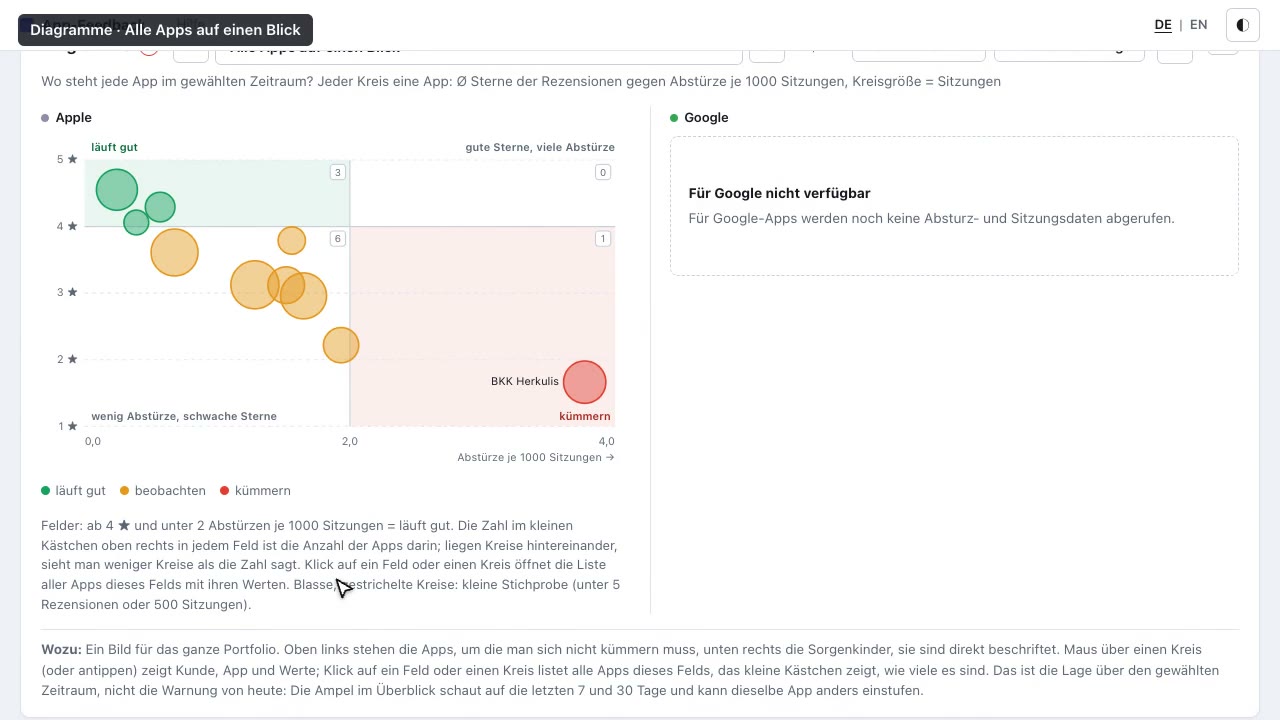 The report · 7 minutesFrom the first warning sign to the line of code: traffic light, charts, competitors, AI questions and crash analysis in one case.Watch the film →
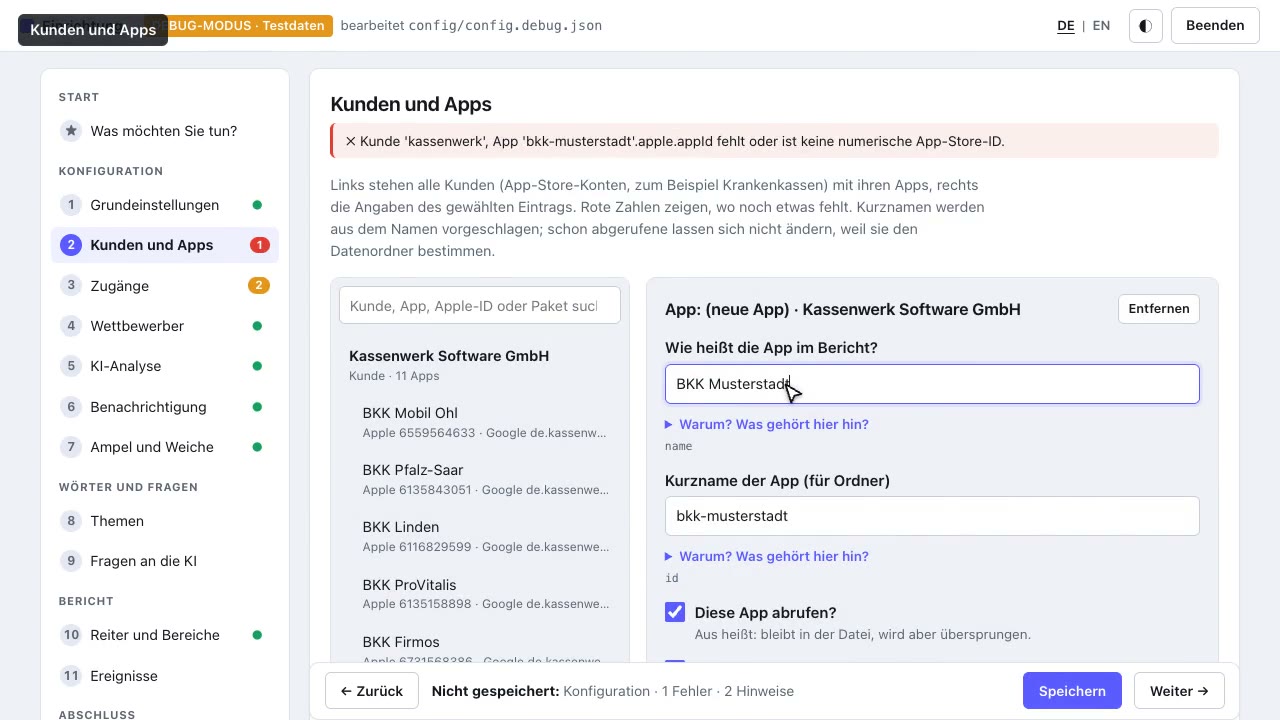 Setup in the browser · 3½ minutesNew app, keys, competitors, AI models, traffic light rules, topics and tabs: set up once, it runs every day.Watch the film →
8 · All pages and documents
This guide covers basic operation. Everything optional has its own page, everything technical a document in the repository.
A language model of your choice reads the reviews: summary per app, sentiment, measures, reply drafts, questions to the data. Account, key, configuration, test, models and prices.
E-mail, Slack or webhook after the daily run, only on new 1–2-★ reviews, status change or crash jump. Triggers, example message, access, configuration, test, privacy.
Third-party Apple apps with the same traffic light, the same topics and the same AI next to your own. Apple’s public feed, no credentials, Apple only. Set-up, limits, privacy.
Every setting as a plain-language question, checked at once, saved with a backup, on this computer only. All steps, tabs and sections of the report, saving, security.
Crash reports from Apple and Android: cause, location and fix only with evidence, personal data replaced first, project folder per request. Flow, privacy, prompts verbatim.
What the script does, what the stores forget, the report with pictures, the nineteen charts, set up in five minutes.
Who runs this website and what is stored during a visit (nothing but the web server’s access logs). The report itself ships with its own privacy policy.
The code, free and public. All documents live there too: README.md (commands, configuration, data schema), ANLEITUNG.md (usage), BETRIEB.md (schedule per operating system, CI), EINRICHTUNG.md (server for several customers, checklist), KI.md and BENACHRICHTIGUNG.md (the short versions of the two extensions), TECHNIK.md (interfaces, files, error classes). The documents are in German.
Key H in every menu, ./ratings.sh help on the command line, and “Help” at the top right of the report with set-up, access, commands, AI and notifications on one page.