Notes that find everything: formatting, images, scans, and sketches – with automatic, offline text recognition.

Notes Studio AI is your versatile note editor for iPhone and iPad. Whether it's a meeting note with a photo of the whiteboard, a recipe, a project note with a task list, or a scanned receipt: you write and design in a clear interface – with rich text formatting, images, photos, scanned documents, and hand-drawn sketches all in the same note. The difference is what happens next: Notes Studio AI automatically reads the text in every image – entirely on your device, with no internet, no account, no key – and makes it searchable. You photograph an invoice and find it weeks later by searching for a single word from it. Bring in AI support whenever you need it – with your own API key from the provider of your choice. Without AI, the app remains a full-featured note editor, with no cloud requirement. Your notes belong to you: stored locally, optionally synced encrypted via iCloud, and individual notes can additionally be locked with a password or Face ID/Touch ID.
A note editor that goes far beyond plain text: formatting, images, scans, and sketches in one note – and the text in every image is automatically recognized and searchable. AI is always an optional extra tool, never a requirement. No subscription, no in-app purchases, no hidden AI costs via an intermediary server.
Headings, bold, italic, underline, bullet lists, checklists, quotes, dividers, and links – just like in a word processor.
From your photo library, via camera, as a scanned document with perspective correction, or as a hand-drawn sketch with Apple Pencil.
Text in photos, scans, and sketches is automatically recognized and searchable – offline on your device, with no internet and no cost.
Transparent, white, grid, lined, or dotted – and reopen with every stroke intact whenever you want to keep drawing.
Password or Face ID/Touch ID per note – locked notes show only their name in the list, never the content.
Search by name, content, and recognized image text, combinable hashtag filters, sorting by modification, creation, or name.
Deleted notes can be restored for 30 days, after which the app cleans up automatically.
Including conflict handling: keep your own version or adopt the cloud version.
OpenAI, Anthropic Claude, Google Gemini, xAI Grok, Perplexity, and DeepL. Switch anytime with a single tap.
You pay for AI usage directly with the provider, with no markup and no middleman.
Apply ready-made or custom AI templates directly to your note, plus a dedicated chat area for questions and ideas.
AirPrint, share as a fully formatted PDF with images and sketches, and import/export of RTF and RTFD files.
Trigger "New note" and "Search notes" directly via Siri or the Shortcuts app.
From a blank note to a finished page – a look at the editor, tools, and AI features.
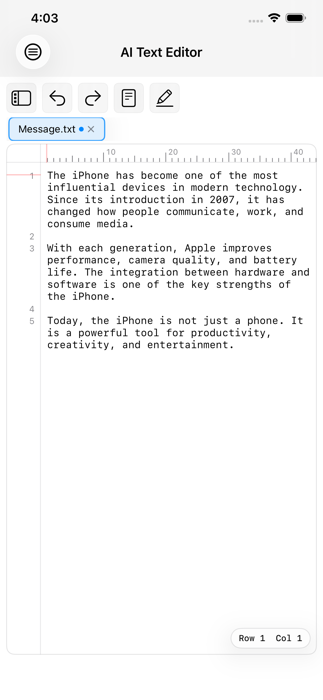
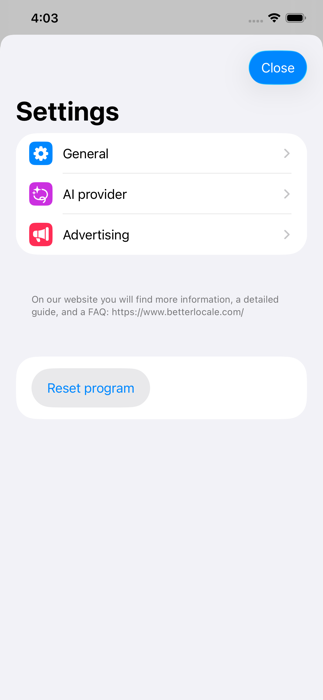
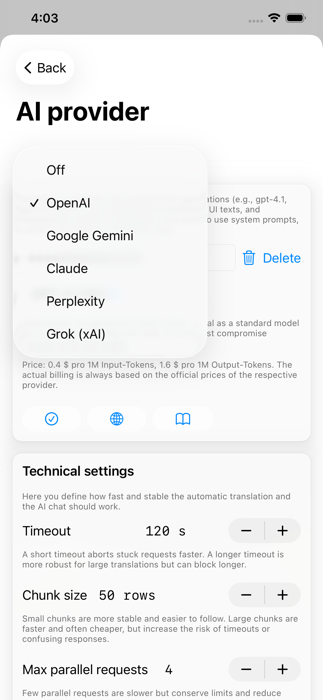
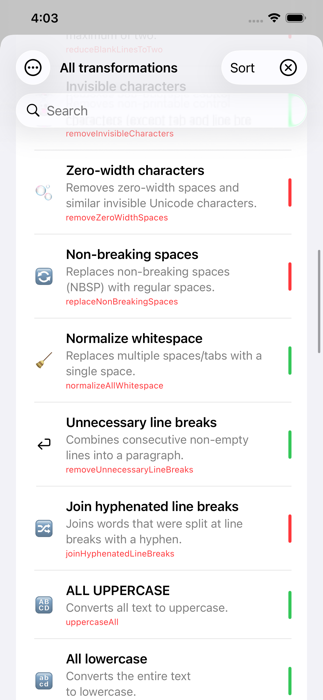
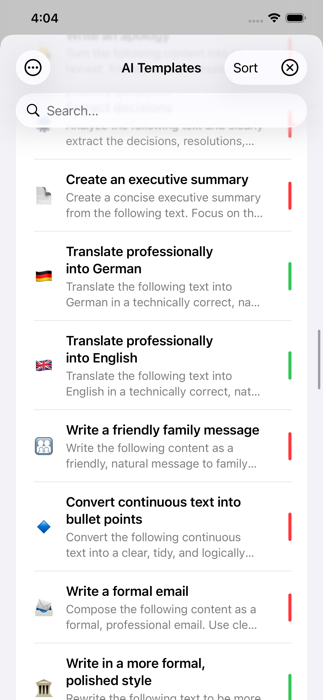
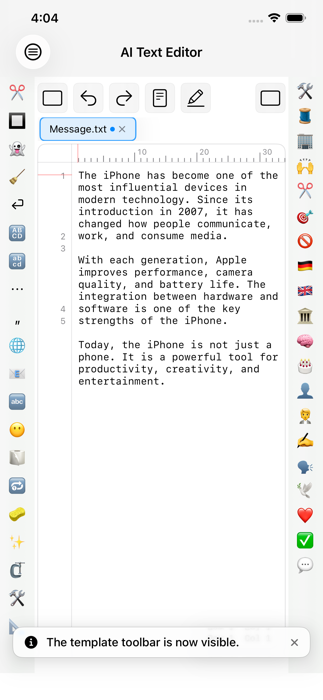
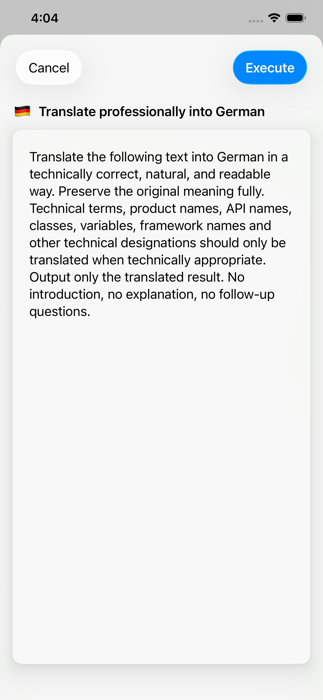

The app in everyday use – from the editor to AI integration.

The editor. The workspace sits in the center, with a formatting toolbar you can show or hide on the left, and a searchable document browser with all your notes on the right. Your notes are true rich text: character styles like bold, italic, underline, strikethrough, monospace, and superscript/subscript, plus paragraph styles like headings, subtitles, bullet lists, numbered lists, checklists, quotes, and dividers. The format brush copies an existing style onto another section of text with two taps. All of it is preserved when saving, syncing, and exporting.

Images, scans, and sketches. Images land right at the cursor position in your text – four ways: from your photo library, via camera, as a scanned document with automatic edge and perspective correction (multi-page too), or as a hand-drawn sketch with selectable paper – transparent, white, grid, lined, or dotted – using Apple Pencil or your finger. As soon as an image is inserted, the app reads the text it contains in the background and makes it searchable, with no internet or AI key required. Tapping an image opens a full-screen view with zoom; if the image contains recognized text, a third icon in the toolbar inserts it as a paragraph after the image. Tapping a sketch again reopens it as a drawing with every stroke intact – erasing, continuing to draw, and replacing it remain possible at any time. All images are saved and synced with the note.

Managing notes. The document browser shows every note with its name, modification date, size, and up to two hashtags; pinned notes stay at the top regardless of date. A search field filters by name, note text, and recognized image text, and hashtags found in the text (#project) automatically become combinable filter buttons – no folder structure needed. Sorting lets you reorder the list by modification date, creation date, or name. Renaming and duplicating are done with a long press or a swipe; deleted notes move to the trash, where they can be restored for 30 days or removed permanently before the app cleans them up automatically.

Locking notes. Every note can be locked individually via the context menu – with a password or with Face ID/Touch ID, with your device passcode as a fallback. A locked note shows only its name in the list, never the content, and search doesn't access the protected text either – including the automatically recognized text in its images. Only a checksum is stored in the device's Keychain, not synced via iCloud – so the lock protects against prying eyes on an unlocked device, but it isn't encryption.

Saving and iCloud. Notes live in a searchable app database rather than the file system; the app saves automatically when you switch to the document browser and asks if changes are still unsaved. With iCloud enabled, notes are additionally stored in your private iCloud database – available on every device with the same Apple ID, with no separate account with the developer. If you've edited the same note on two devices, the app reliably detects the conflict and lets you choose which version applies.

Print, share, import, and export. Using the system print dialog, you print via AirPrint or save the note directly as a PDF, including formatting, images, and sketches. "Share" generates that same formatted PDF file for the Share Sheet – ideal for sending quickly by mail or messenger. For a complete handoff, you can additionally export a note as an RTF file or, with images, as an RTFD file – openable in Pages, TextEdit, or Word. Just as easily, you can import existing RTF, RTFD, or plain text files as a new note.

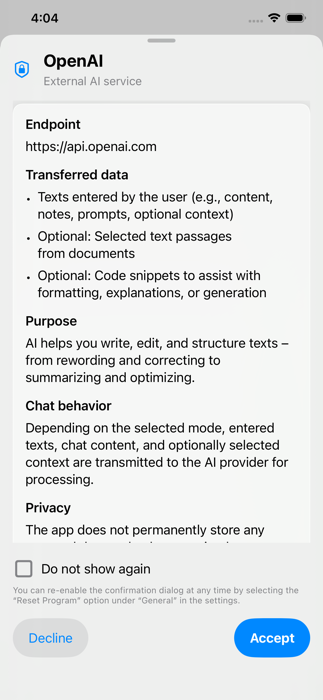
AI services. Using "Run AI template" in the toolbar menu, you apply an AI template to the whole note or just a selected section – for example to translate text, correct spelling and grammar, shorten it, summarize it, or turn bullet points into a finished text. Only text is ever sent to the AI, never images. Six providers are supported: OpenAI, Anthropic Claude, Google Gemini, xAI Grok, and Perplexity, each with multiple selectable models and a cost display, plus DeepL for precise translations. Before first using each provider, a consent dialog transparently shows who is being contacted and why.

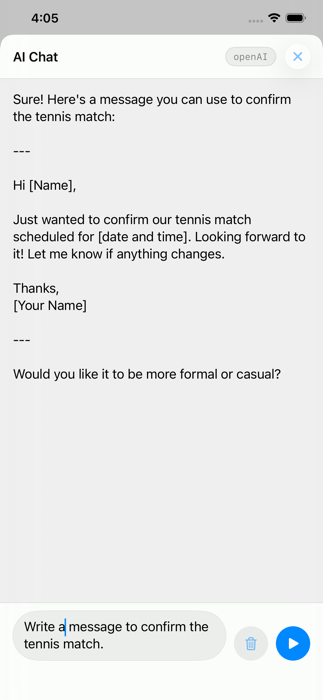
AI chat, AI templates, and help. The AI chat in the main menu is its own, independent assistant for questions, outlines, and ideas – your note is never sent to the AI here. The same menu also lets you manage your AI templates: add ready-made ones with a tap, or create your own with a title, emoji, and prompt, and edit or delete them. You can apply a template to the whole note or just a selected passage – images and formatting are left untouched either way. Siri and the Shortcuts app also offer "New note" and "Search notes". An onboarding flow and a twelve-part tutorial walk you through every area, settings let you configure AI providers, templates, and other options, and you reach the developer directly via the built-in feedback form or by email at support@onetwoapps.com.
Ready in just a few steps – your key stays fully under your control throughout.
Sign up with (or sign in to) your chosen AI provider.
In the "API Keys" section, create a new key and store it securely.
If needed, activate billing and add a payment method.
Settings → AI Provider → choose provider → paste the key.
A connection test immediately checks that everything works.
Your key stays encrypted in your device's Keychain – never on a developer server, and always editable or removable.
Supported providers
More detail
Every provider offers several models to choose from – switch anytime with a tap. Pricing is usually quoted per 1 million tokens, which sounds like a lot at first. In practice, a single request with a small model often costs a mere fraction of a cent; even with regular use of larger models, costs typically stay in the range of a few cents to a low double-digit euro amount per month. Notes Studio AI also shows you the estimated cost for the chosen model before every request – no surprises.
Providers keep expanding and updating their models – the model picker in the app always shows the currently available selection, including cost estimates.
Not every task needs the biggest, most expensive model. For simple work, a small model usually delivers a result just as good as a large one – only noticeably cheaper and faster.
Rule of thumb: the simpler and more repetitive the task, the smaller the model can be. Notes Studio AI shows the estimated cost before every request anyway – so you stay in control.
One-time · No subscription · No in-app purchases
You pay once and can then use the app normally afterward, with no ongoing costs or fine-print restrictions. The app is continuously developed further – workflow improvements, editor optimizations, and new AI services included.
A fair note: AI usage is billed directly by the respective provider via your own API key – the app doesn't earn anything from it.
Notes Studio AI first stores your notes, images, scans, and sketches locally on your iPhone or iPad. If you enable iCloud sync, this data is synchronized via Apple CloudKit within your private iCloud area. The data is encrypted both during transfer and when stored in iCloud.
Locking individual notes with a password, Face ID, or Touch ID serves purely as on-device access protection. It is not an additional layer of encryption and is deliberately not synced via iCloud.
Data is only transmitted to an external AI provider when you actively start an AI feature and have explicitly consented to using that provider. Your API keys are stored in the device's Keychain and are never transmitted to servers operated by the developer.
The app uses no tracking, no analytics services, and no advertising. No data is stored on servers operated by the developer either.
No. Notes Studio AI costs a one-time €1.49 – no subscription, no in-app purchases, no hidden costs.
Only for the AI features. Formatting, images, scans, sketches, note locking, iCloud sync, printing, sharing, import, and export also work completely without one.
OpenAI, Anthropic Claude, Google Gemini, xAI Grok, and Perplexity, each with several selectable models, plus DeepL for precise translations.
No. Text recognition runs entirely offline on your device via Apple's Vision framework. Your photos, camera shots, scans, and sketches never leave your device.
No. Deleted notes can be restored for 30 days, after which the app removes them automatically the next time it starts.
Exclusively locally in your device's Keychain – never in the cloud, never on third-party servers.
No. A password or Face ID/Touch ID prevents someone from accidentally opening a note on your unlocked device. The content itself remains stored unencrypted in the app database. For highly sensitive data, using a dedicated password manager in addition is recommended.
Camera, document scanning, and the sketch canvas require the corresponding hardware and a granted iOS permission. If a permission is missing, only that particular feature is unavailable – the rest of the app continues to work normally.
Yes, with a title, emoji, and custom prompt – you can also add ready-made standard templates with a tap.
